01 / The timer
Your time.
In plain sight.
Your chosen plan and the time ahead.
Daily 12:12 fasting is free.
Unfeast for iPhone & iPad
A clear timer. A moment to pause.
A little more room for your day.
iOS release in preparation
A rhythm, not a race.
Choose a plan, follow your timer, and take a pause when you want one.
Unfeast keeps the everyday details together.
The little things, considered.
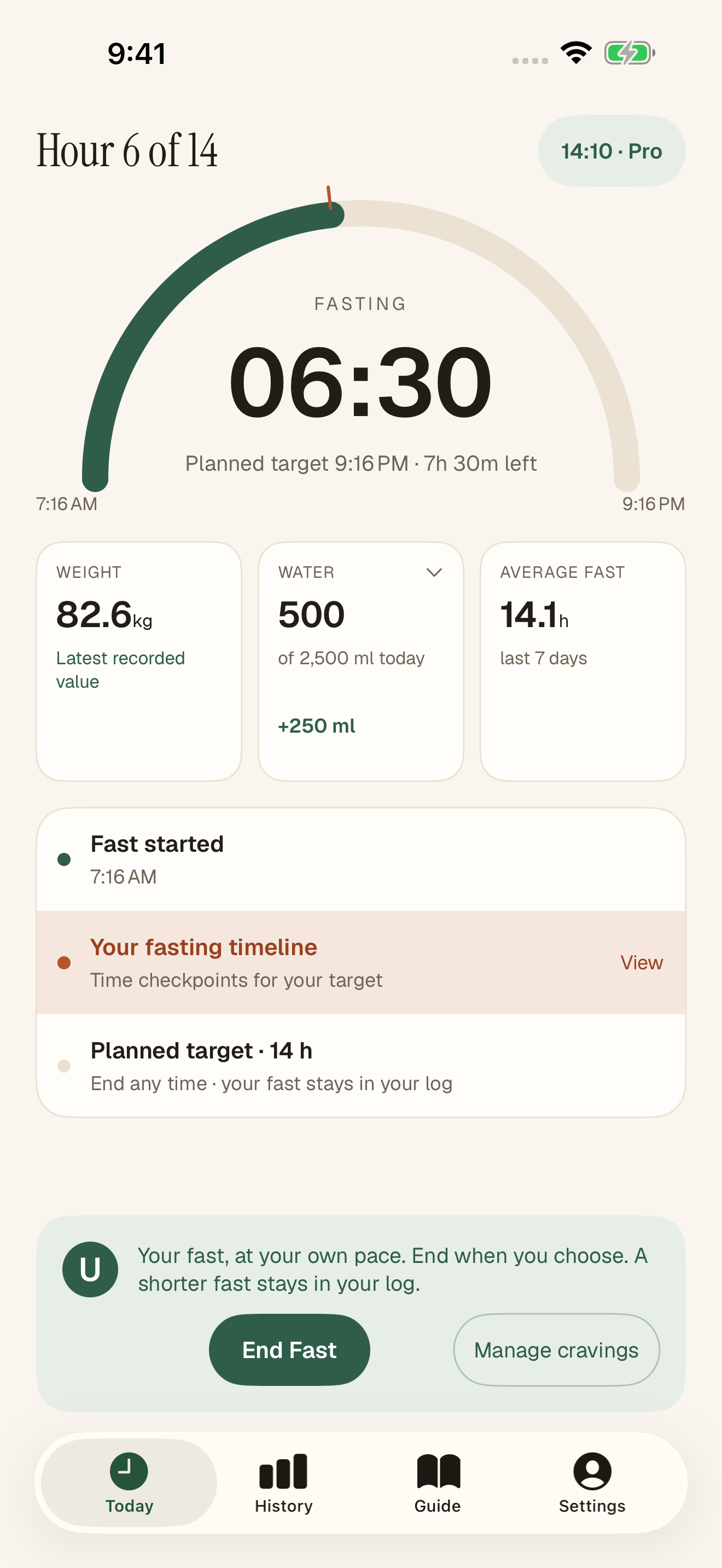
01 / The timer
Your chosen plan and the time ahead.
Daily 12:12 fasting is free.
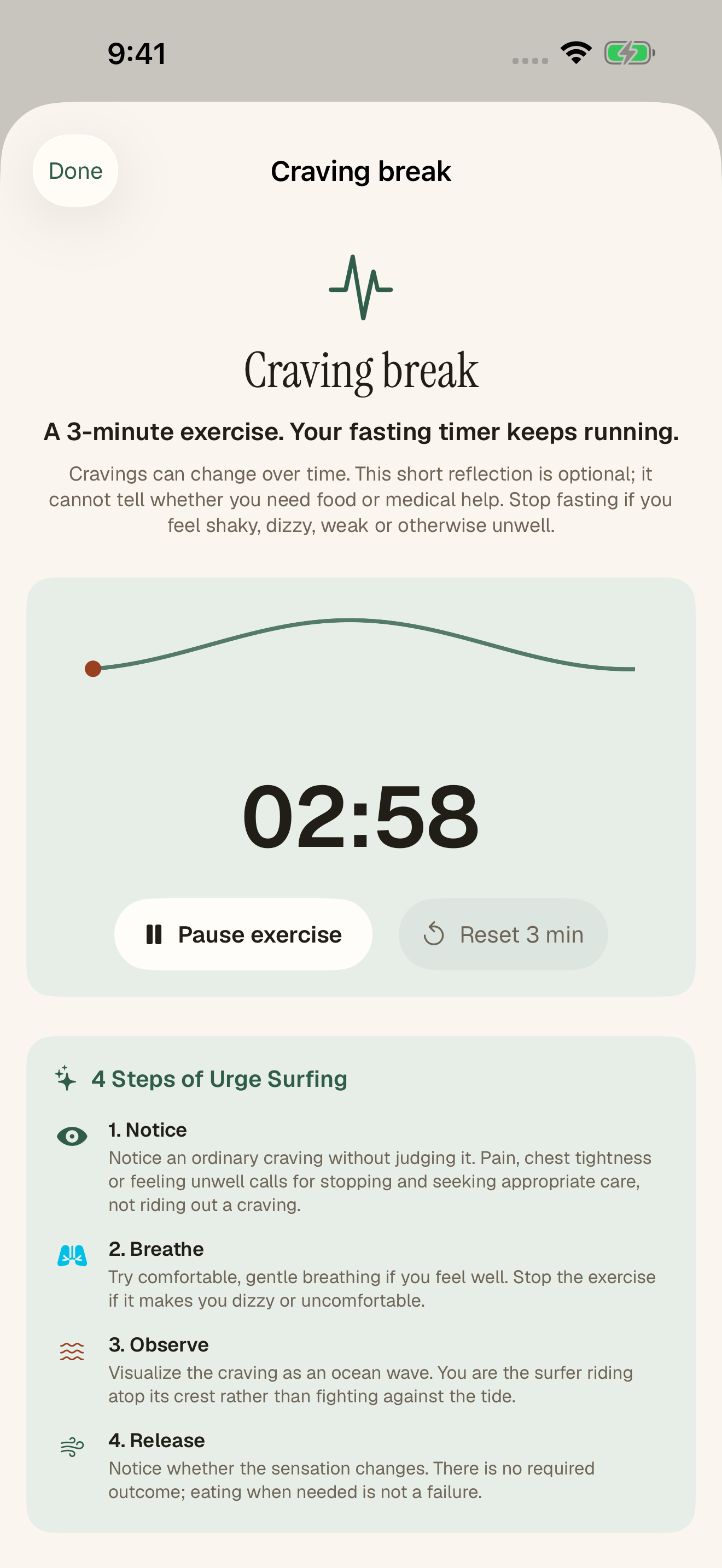
02 / The pause
An optional guided exercise.
Your fast keeps running.
03 / History · Pro
Your saved fasts, over time.
Explore your history with Pro.
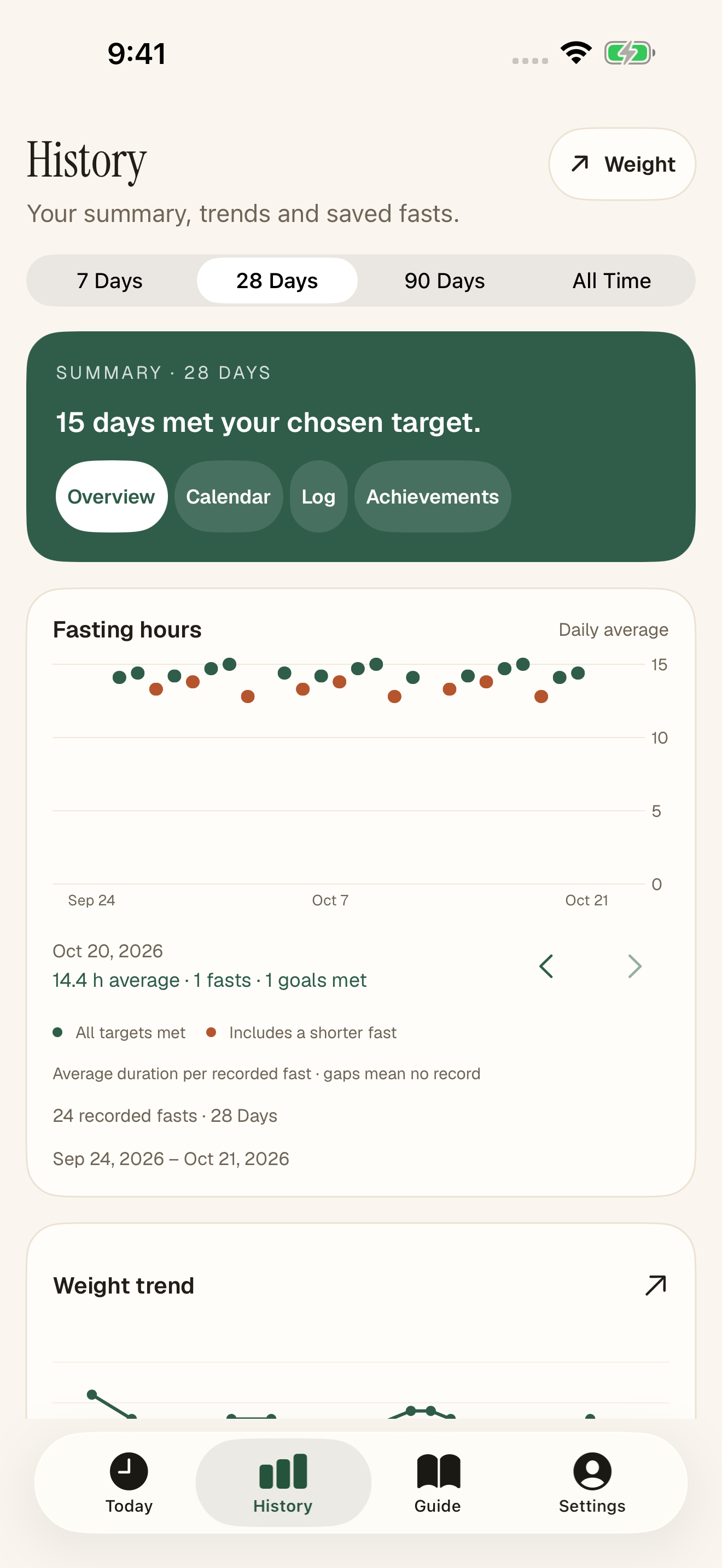
Real native app screens, with sample data. Additional plans and features marked Pro require a subscription.
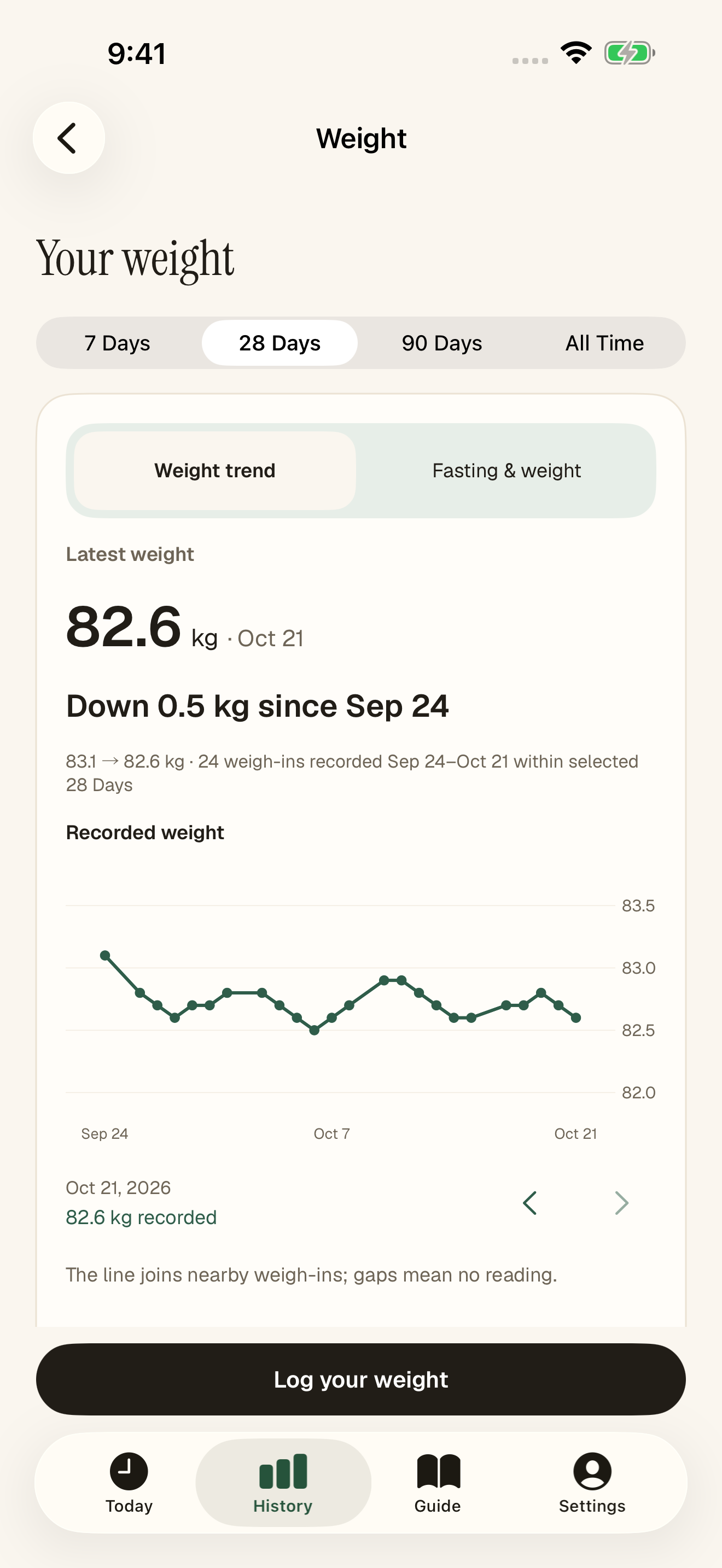
Manual weight records · Unfeast Pro
Log measurements when you choose.
Explore your recorded entries and available averages.
For the everyday.
Log water directly from Today and keep the daily total close to your timer.
Practical food and drink decisions, plus milestone articles that explain the research and its limits. Open the original studies when you want to read further.
Preview and export eligible timer-tracked fasts and optional manual weight entries. Keep the file somewhere you control.
We’re preparing Unfeast for iPhone and iPad. The verified App Store link will be added here when the app is available.
Daily 12:12 fasting with the timer and basic reminders is free, with no weekly quota. Unfeast Pro adds eligible preset plans, a Custom timer, History and weight insights, Guide articles and optional cycle-based adjustments. Prices, renewal terms and any eligible trial are shown in the app through Apple. You can always end an active fast.
The timeline follows the duration you choose, including a Custom timer. Its checkpoints explain fasting topics; they do not measure your metabolism or promise an effect at a particular hour. Custom shows your dated finish rather than inventing a daily eating window. A longer timer is not a recommendation to fast longer.
Guide articles describe the study design, findings and limitations behind fasting topics, with links to original sources. Practical sections cover food, drinks, hydration and safety. The articles are educational: a study result does not predict your result or establish that a schedule is suitable for you.
It opens an optional guided craving exercise. Your main fasting timer keeps running, and you can leave the exercise whenever you choose.
No. You can track manually without either feature. Apple Health access is optional and read-only, for the data types you choose in Apple’s permission sheet. Cycle guidance has a separate optional choice and uses estimates; it is not contraception, diagnosis or a prediction of fertility.
Fasting history, manual weight, water and profile answers are stored on your device. Some appearance preferences may sync through iCloud. Apple handles purchases, and RevenueCat supports subscription status. Optional marketing measurement uses Tenjin only with your in-app choice and Apple tracking permission. That service can infer an approximate country from the connection’s IP address. Health records, fasting history, weight, cycle dates and onboarding answers are excluded from those measurement events. See Privacy for the full data flows and controls.
You can export eligible timer-tracked fasting records and, if you choose, manual weight entries to a file you control. Apple Health readings and derived fasts, cycle details, settings, active fasts and purchases are excluded. Import merges supported entries instead of replacing your existing history. There is no automatic history synchronization; reinstalling the app alone does not restore your history.
A little structure. A rhythm of your own.
Preparing for iPhone & iPad.